Your lesson
Colour grading fundamentals
One private workspace for practical training, client delivery, and everyday agency operations — so your lessons, your tasks, and your progress all live in the same place.
Colour grading fundamentals
Improve the colour correction here.
This transition should be adjusted.
What it runs
Built for how Zam Brothers Limited actually works — training people while delivering client projects, with the finance and people records that sit behind both.
Structured lessons that unlock step by step, with practical video assignments at every stage.
Teachers comment at the exact second of your cut, so feedback lands where the change belongs.
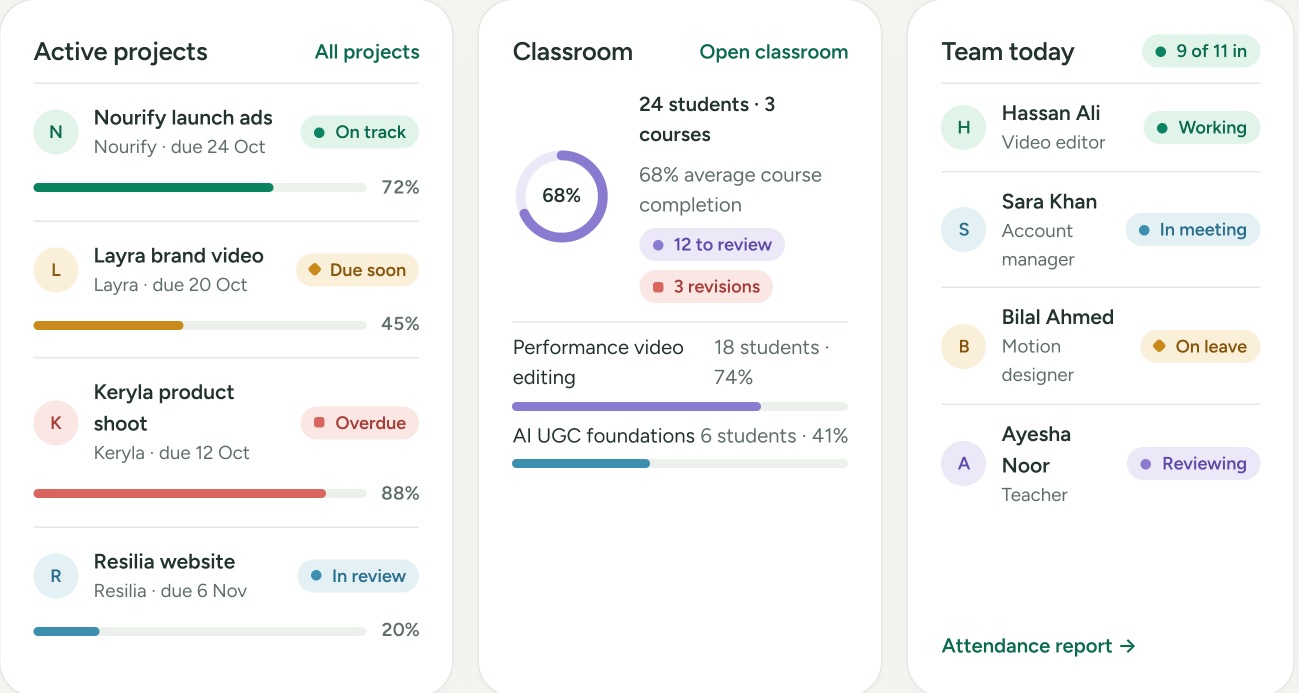
Every client brief broken into owners, steps, and due dates — nothing carried in someone’s head.
Recurring deliverables assigned, submitted, reviewed, and approved in one tracked place.
Attendance, breaks, leave, salaries, and staff records kept accurate and private to the right people.
Income, expenses, and subscriptions in PKR and USD, kept separate and never auto-converted.
How you grow here
You learn a skill, prove it on a practical brief, and then carry it into live client projects with the team — all inside the same workspace.
Work through a structured path. Each step unlocks only once the one before it is genuinely finished.
Upload your edit for the assignment. Your teacher replies on the timeline, at the exact second that needs changing.
Take on real tasks and client deliveries alongside the team, with clear owners and due dates.
Getting in
This is a closed workspace for the Zam Brothers Limited team, enrolled students, and client contacts. Accounts are issued, never self-serve.
Tell us who you are and which team or course you are joining.
Confirm your email, then an owner approves the account and sets your role.
Sign in to a workspace showing only the records your role is allowed to see.
On your phone
The same workspace in your pocket, with fingerprint sign-in, team chat and lessons on the go.
Version 0.2.4. Download, open the file, and allow “Install unknown apps” if your phone asks.
Download for AndroidThe App Store version is coming. Until then, add the workspace to your Home Screen. It opens full screen with the app icon.
Request an account and an owner will approve your access, or sign in if you already have one.